Your agentic AI allowance, at a glance.
Pipkin sits beside your keyboard and shows how much of your session and weekly allowance is left, and when it resets.
No settings page, no surprises.

Real firmware output · 320 × 240
On the screen
Everything you'd check, without checking.
Swipe or tap between pages, and Pipkin remembers your favourite. Hold the clock for a status page.
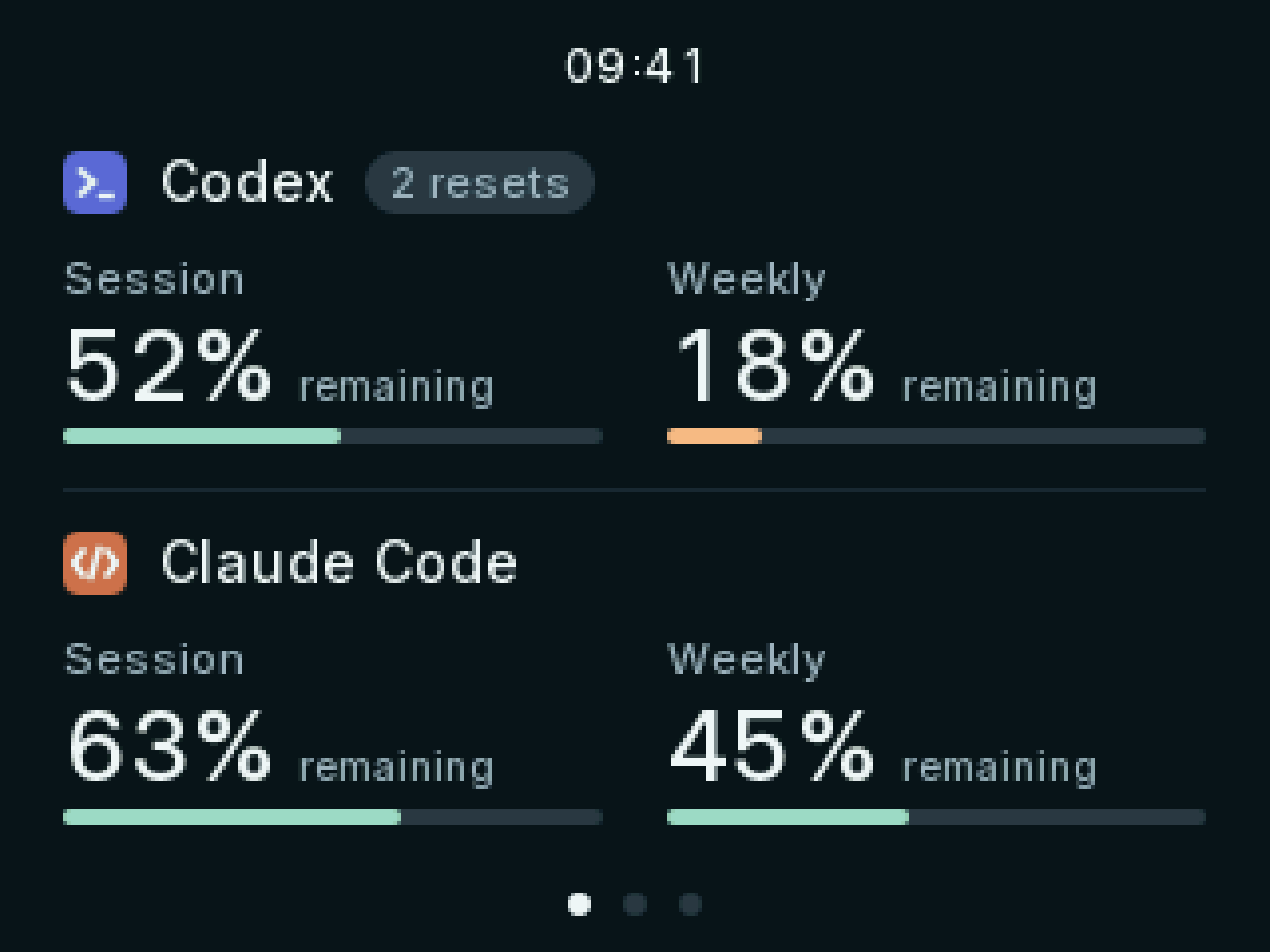
Both apps, one glance
Codex and Claude Code side by side, with session and weekly allowance for each. Percentages show what you have left, not what you've used.
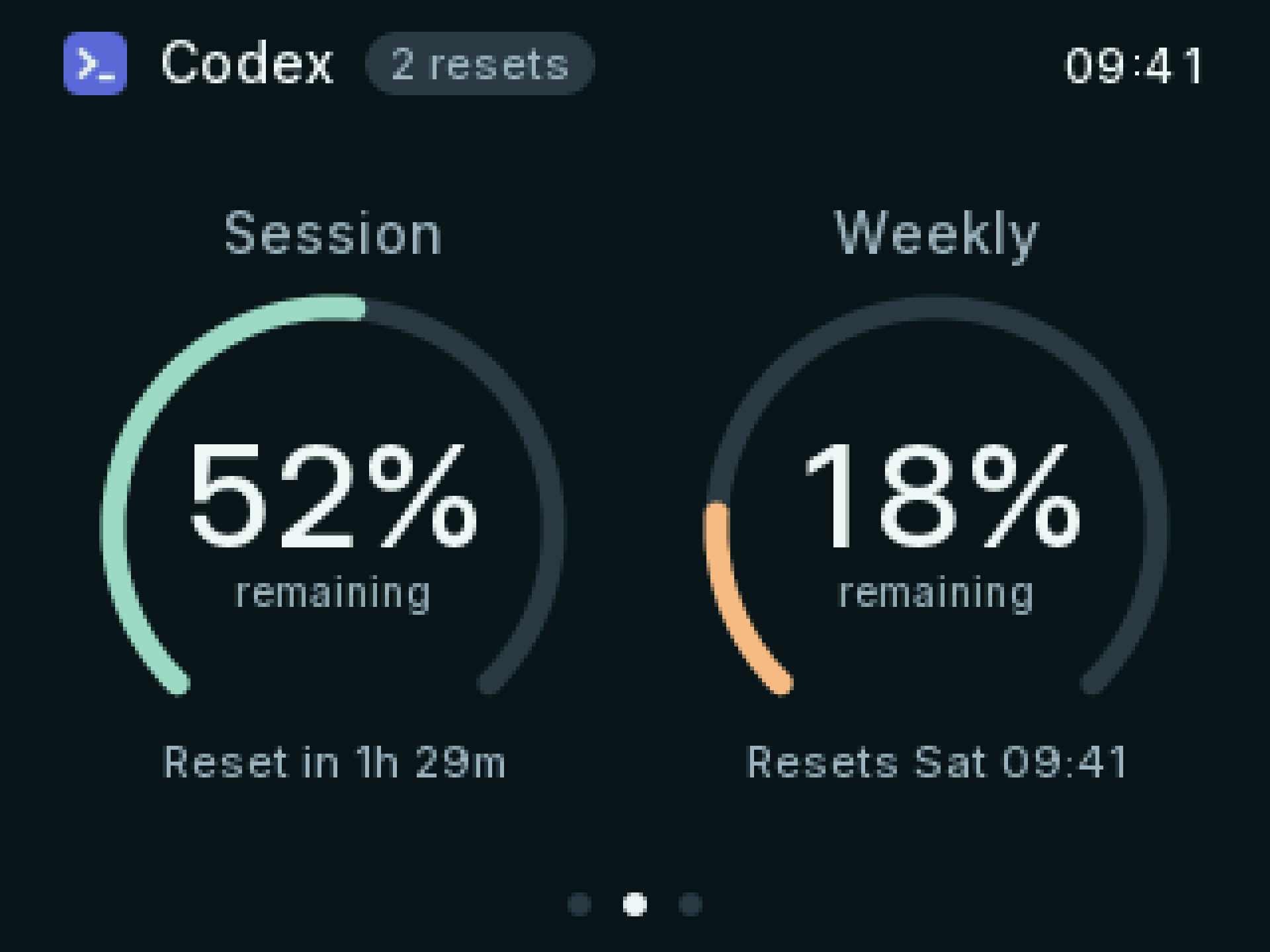
Know when it resets
Large gauges for each app, a countdown to every reset, and any banked resets beside the name.
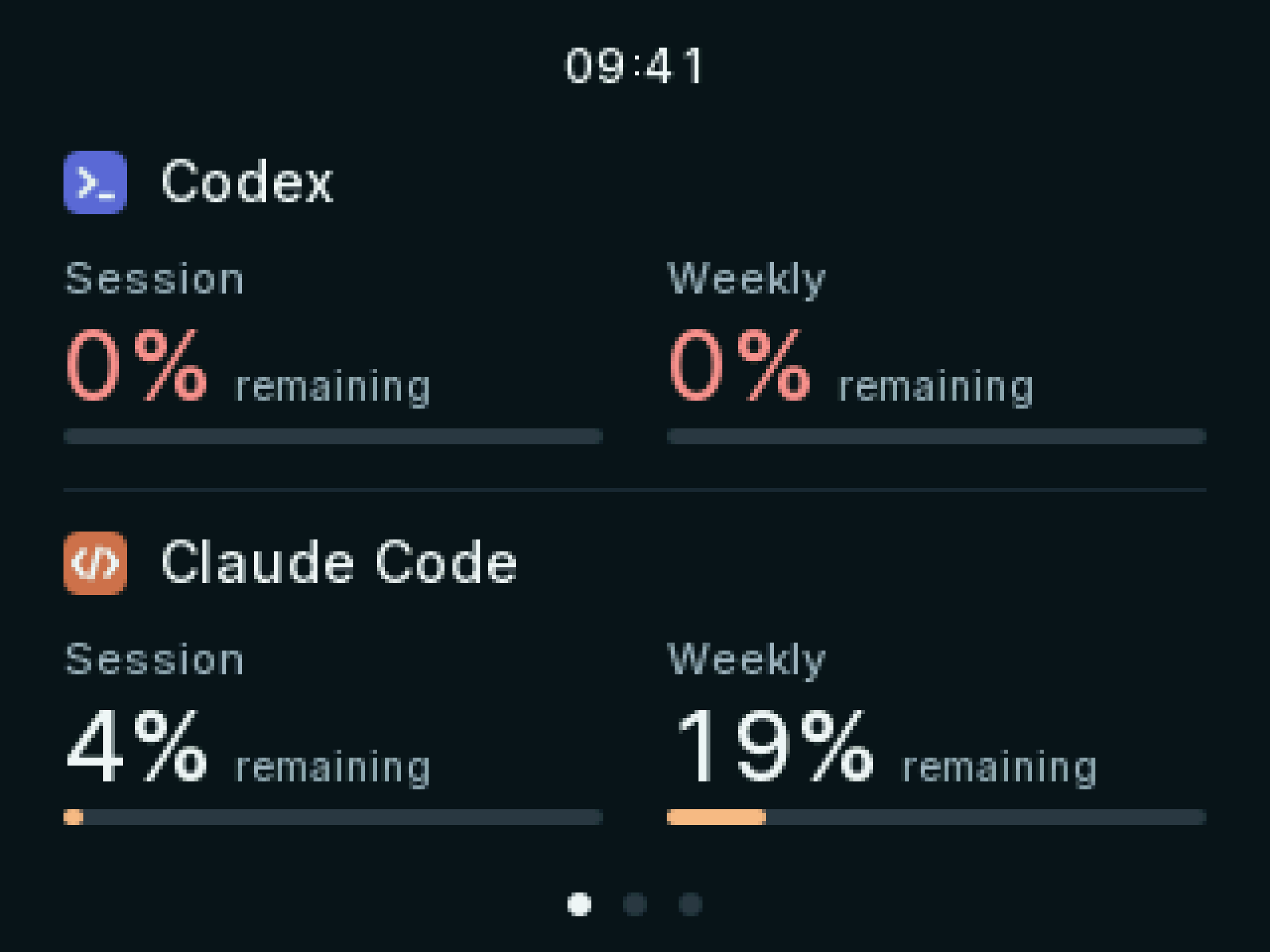
Warned before you run out
A window turns amber at 20% left and red when it's gone, so a limit never catches you mid-flow.
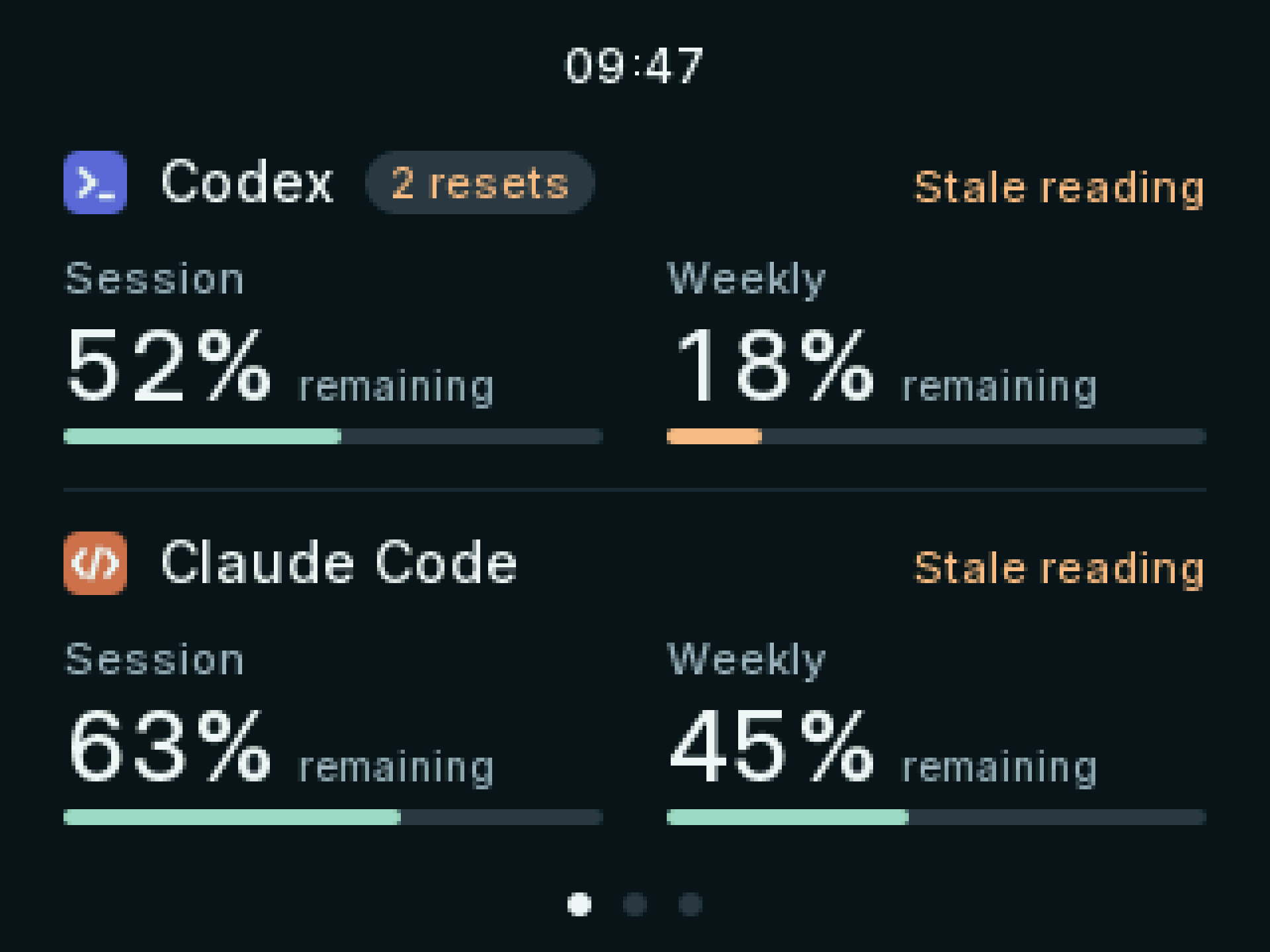
Honest about what it knows
If a reading is out of date, or an app hasn't reported, Pipkin says so instead of guessing.
Meet Pip
Even the loading bar won't guess.
The bar stops short of full until your first reading comes in, and Pip hangs on for however long that takes. Then the numbers have the screen to themselves.
Install
Set up in 60 seconds.
- 1
Run the installer
The Pipkin CLI reads your allowance and sends it to the display. It runs in the background and starts each time you sign in to your computer.
- 2
Plug Pipkin in
Connect the display to your computer with its USB cable.
$ curl -fsSL https://pipkin.io/install.sh | shApple silicon and Intel. If pipkin isn't found afterwards, add ~/.local/bin to your PATH. If macOS asks to use “Claude Safe Storage”, enter your Mac password and choose Always Allow.
Read the script$ curl -fsSL https://pipkin.io/install.sh | shARM64 and x86-64. Add ~/.local/bin to your PATH if needed; the display's serial port may need dialout (or uucp) group access.
Read the scriptPS> irm https://pipkin.io/install.ps1 | iexARM64 and x64. Open a new terminal afterwards so pipkin is on your PATH.
Read the script| pipkin usage | Read usage now |
|---|---|
| pipkin status | Check the helper and the display |
| pipkin update | Install the latest release |
| pipkin uninstall | Remove Pipkin |
Private by design
It reads your usage. Nothing else.
Your sign-ins, not new ones
The CLI reads usage through the Codex and Claude Code apps you already use. No Pipkin account and no API keys.
Stays on your machine
Credentials never leave your computer, except in direct requests to their own provider.
No telemetry
Pipkin doesn't phone home. The firmware and CLI are source-available, so you can check for yourself.
Build your own
Published firmware, off-the-shelf board.
Pipkin runs on an ESP32 “Cheap Yellow Display”, and its source-available firmware is published. Build your own, or wait for a kit.